From BOQ to Accepted Quote — in One App.
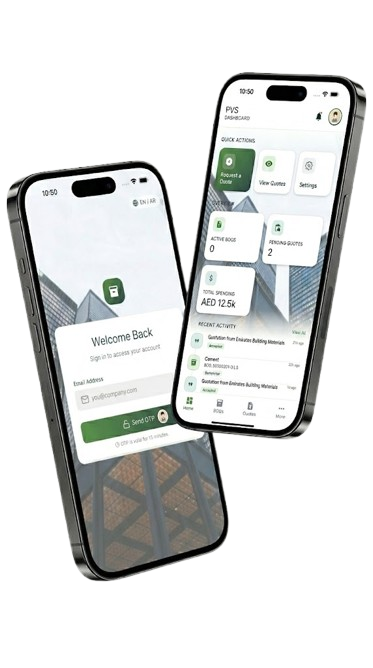
PVS lets procurement teams create BOQs, publish them to vendors, compare quotes side-by-side, and accept the best offer — all from their phone.
Quick language switch:
Procurement is broken. We rebuilt it.
Chasing vendors over WhatsApp, manually comparing quotes in spreadsheets, losing track of deadlines and approvals — it slows down every project.
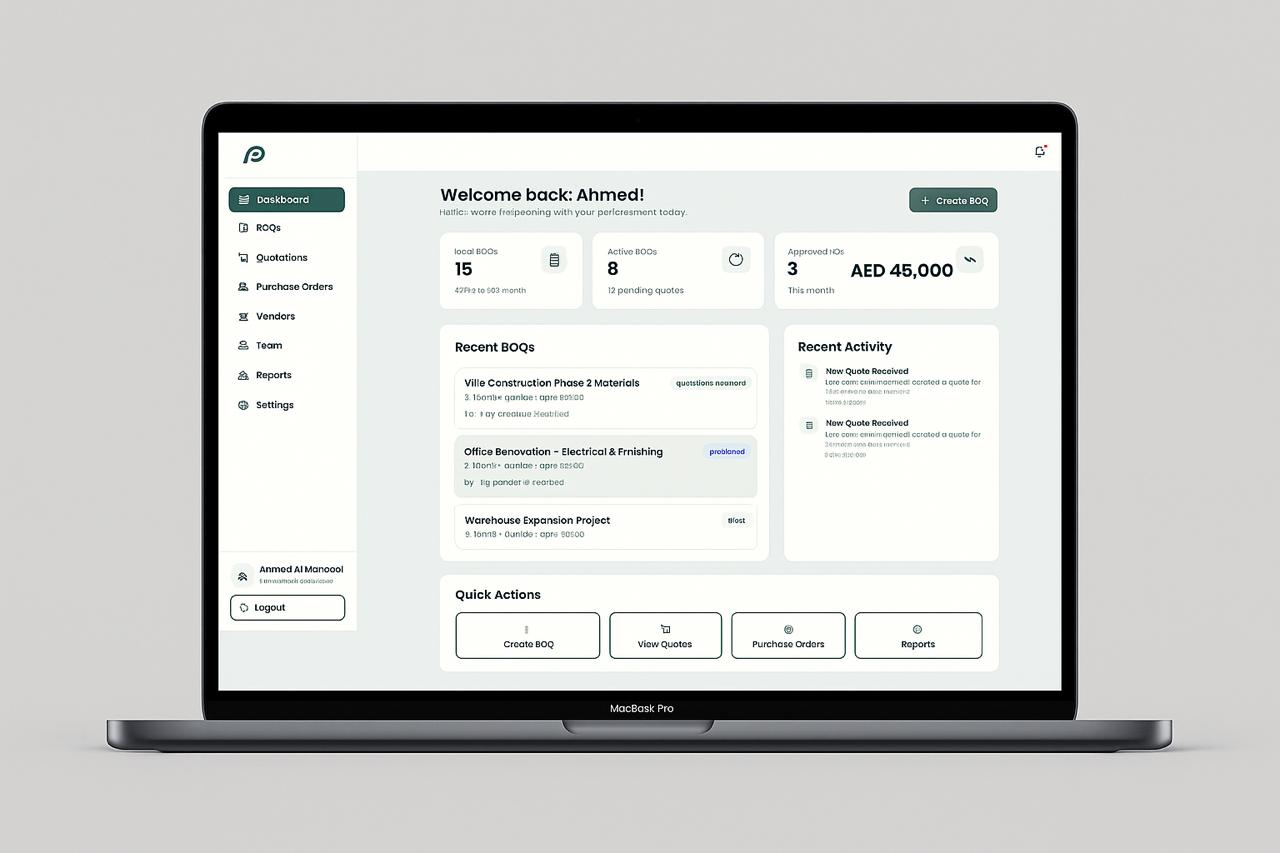
PVS centralizes the entire procurement loop: create BOQs, publish to vendors, receive structured quotes, negotiate, compare, and generate PDFs — from a single mobile app.
Structured BOQ Creation
Vendor Quote Comparison
One-tap Accept & PDF Export
Key Features
BOQ Management
Create detailed Bill of Quantities with line items, quantities, units, delivery timelines, and urgency flags. Save as draft or publish directly to vendors.
Quotation Workflow
Receive vendor quotes, review pricing with discount breakdowns, request negotiation, accept the best offer, and export a PDF — all in one flow.
Vendor Portal
Vendors browse open BOQ requests, submit itemized quotes with unit prices and delivery terms, respond to negotiations, and track quote status in real time.
How It Works — From BOQ to Accepted Quote
Create BOQ
Publish to Vendors
Receive Quotes
Compare & Negotiate
Accept Best Offer
Generate PDF
Built for Both Sides of the Deal
Procurement Teams
Create and publish BOQs with deadline and urgency controls
Side-by-side quote comparison with discount and total breakdowns
One-tap accept, negotiate, or reject — with full audit history
Role-based team access: Admin, Manager, Staff, Viewer
Push & email notifications for every quote status change
Vendors
Browse open BOQ requests with deadlines from your dashboard
Submit detailed quotes with unit prices, alternatives, and delivery terms
Receive negotiation requests and update pricing in response
Track quote status: submitted, viewed, under review, accepted
Manage your company team with role-based access control
Real-Time Status, Every Step
Every quote action — submitted, viewed, negotiation requested, price updated, accepted — is logged in a full audit timeline so nothing falls through the cracks.
ERP
Coming Soon
AI Quote Matching & Scoring
ERP & Accounting Integration
Purchase Order Auto-Generation
Your Procurement Pipeline, in Your Pocket
Download PVS Mobile
Create BOQs, review vendor quotes, negotiate prices, accept offers, and export PDFs — all from your phone. Available for iOS and Android.
Scan QR
Download on App Store
Get it on Google Play